Recent Questions
Q: When doing a mouseover over the menu options, the java menu web submenus are supposed to all drop down. However, some of the submenus go up instead of down. How do I fix that?
A: You should set the following java menu web parameter:
var subMenuVAlign="top";
Q: I'm interested in buying your products. I have no experience in programming, only know html/php. How easy would it be to set up these down vertical menu items? I understand your explanation of copying scripts into the relevant html pages. But what about inserting the menus? Do I have to program them myself?
Thanks for your help. I just love your deluxe items.
A: Unfortunately we don't have step by step tutorial now. We'll try tocreate it in the nearest time.
1. Create your menu in Deluxe Tuner application.
You can create any menu as you like in Deluxe Tuner.
Deluxe Tuner v2.4 supports Deluxe Menu (http://deluxe-menu.com) &Deluxe Tree (http://deluxe-tree.com) & Deluxe Tabs (http://deluxe-tabs.com)
You can use ready to use templates. You can find them in the templateswindow.
When you open Deluxe Tuner ( Deluxe Menu ) you can click "File/New"and add items and subitems using buttons "Add Item" and "Add Subitem" onthe main window.
You should set items and subitems parameters on the "Item Parameters"window.
See also other parameters for the menu on the main window.
More info about menu parameters you can find on our site (you can alsouse local version of the site which you can find in the trial package"Deluxe Menu / deluxe-menu.com /")
http://deluxe-menu.com/parameters-info.html
http://deluxe-menu.com/menu-items-info.html
You can also use Individual Styles for items and subitems
http://deluxe-menu.com/individual-item-styles-info.html
http://deluxe-menu.com/individual-submenu-styles-info.html
2. You should install the menu on your page.
You can click, for example, File/Export to HTML (you can't do it inthe MAC version).
Add several rows into your html page.
<head>
...
<!-- Deluxe Menu -->
<noscript><a href="http://deluxe-menu.com">Javascript Menu by Deluxe-Menu.com</a></noscript>
<script type="text/javascript"> var dmWorkPath="deluxe-menu.files/";</script>
<script type="text/javascript" src="deluxe-menu.files/dmenu.js"></script>
<script type="text/javascript" src="data-deluxe-menu.js"></script> //data-deluxe-menu.js - data file created in Deluxe Tuner.
...
</head>
<body>
...
<table>
<tr><td><script type="text/javascript" src="deluxe-menu.files/data.js"></script></td></tr>
</table>
...
</body>
You should also copy all engine files
dmenu.js
dmenu4.js
dmenu_add.js
dmenu_dyn.js
dmenu_key.js
dmenu_cf.js
dmenu_popup.js
dmenu_ajax.js
into "deluxe-menu.files/" folder. You should place this folder in thesame folder with your index. html page.
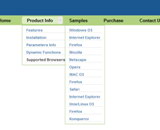
Q: Using the example menu you have, how do i make the sub-menu for the 'Sample' menu item a multi-column and leave the 'Product Info' menu item as is.
I only want certain sub-menus to have multi-columns. I don't want all menu items to have a multi-column sub.
A: Please, see the attached example.
You should use individual styles.
var menuStyles = [
["smColumns=2"],
["smColumns=1"], //style 1
];
...
["More Samples","testlink.htm"],
["|Group 1","", , , , , "3", "1", , ], //assign style 1
Try that.
Q: We're looking to purchase the developer's license for the Deluxe menu/Tuner program and are not sure which to get. It shows one that doesn't contain the dhtml scripts source code and one that does. What is the importance of having the javascript source code? Will the program not work correctly if you don't have it?
A: See in Single Website License, Multiple Website License and DeveloperLicense our source code is obfuscated.
And in Developer License with Javascript Source Code you can see thecode and change it.
But we DO NOT provide technical support for modified source code.

 Features