Recent Questions
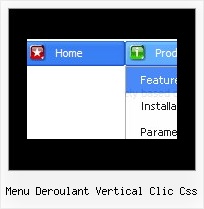
Q: I need to know how to have the background in the main items of the dynamic menu transparent, and then the sub-menus a different translucent color.
A: To set transparent background for the menu you should set:
var menuBackColor="transparent";
var itemBackColor=["transparent","transparent"];
and use Individual Item Styles for your submenus:
var itemStyles = [
["itemBackColor=#8EE8E1,#26BBB0"], //style0
["itemBackColor=#F4B7FB,#E65AF5"], //style1
];
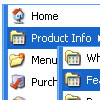
var menuItems = [
["Home","testlink.html", "", "", "", "", "", "", "", ],
["Product Info","", "default.files/icon1.gif", "default.files/icon1o.gif", "", "", "", "", "", ],
["|Features","testlink.html", "default.files/icon2.gif", "default.files/icon2o.gif", "", "", "0", "", "", ], //style0
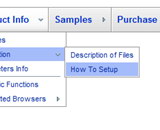
["|Installation","", "default.files/icon2.gif", "default.files/icon2o.gif", "", "", "1", "", "", ], //style1
["||Description of Files","testlink.html", "default.files/icon6.gif", "default.files/icon6o.gif", "", "", "", "", "", ],
["||How To Setup","testlink.html", "default.files/icon6.gif", "default.files/icon6o.gif", "", "", "", "", "", ],
["|Parameters Info","testlink.html", "default.files/icon2.gif", "default.files/icon2o.gif", "", "", "0", "", "", ], //style0
["|Dynamic Functions","testlink.html", "default.files/icon2.gif", "default.files/icon2o.gif", "", "", "1", "", "", ], //style0
["|Supported Browsers","", "default.files/icon2.gif", "default.files/icon2o.gif", "", "", "0", "", "", ], //style0
["||Windows OS","", "default.files/icon3.gif", "default.files/icon3o.gif", "", "", "", "", "", ],
["||Internet Explorer","", "default.files/icon5.gif", "default.files/icon5o.gif", "", "", "", "", "", ],
["||Firefox","", "default.files/icon5.gif", "default.files/icon5o.gif", "", "", "", "", "", ],
["||Mozilla","", "default.files/icon5.gif", "default.files/icon5o.gif", "", "", "", "", "", ],
["||Netscape","", "default.files/icon5.gif", "default.files/icon5o.gif", "", "", "", "", "", ],
["||Opera","", "default.files/icon5.gif", "default.files/icon5o.gif", "", "", "", "", "", ],
["||MAC OS","", "default.files/icon3.gif", "default.files/icon3o.gif", "", "", "", "", "", ],
["||Firefox","", "default.files/icon5.gif", "default.files/icon5o.gif", "", "", "", "", "", ],
Q: I try to use the javascript menu popups to show an image; then when the mouse is over the image I dynamically generate a panel of http links. It works perfectly, but the problem is that I would like to do the same with several images (for instance 2) and different links : I'm not able to do that, whether I change the value of menuItems var or not, I display the same link values on both images (it seems menuItems is a global var and can be set only once).
Have you heard about this problem and could you give me a solution (this is a bit urgent, I have sold this solution to my customers) ?
A: See how you should call dm_popup() functions:
<img src="../../../../fileadmin/img/flag_de.gif" width="50" onMouseOver="return dm_popup(0, 2000, event);" style="cursor: pointer;">
// 0 - is ID of the first menu
....
<img src="../../../../fileadmin/img/flag_fr.gif" width="50" onMouseOver="return dm_popup(1, 2000, event);" style="cursor: pointer;">
// 1 - is ID of the second menu
// 2 - is ID of the third menu
... and so on.
Q: It's been couple of months since I last time asked something about tree menu. I am still evaluating the software.
I have a short question. Is it possible to use CSS instead of JavaScript to tune the look and feel of the tree menu? For example I would be interested in giving menu css java item height value in relative numbers (em or %) rather than specifying a size in pixels...
A: But actually you can use 'em' and '%' units in Deluxe Tree, forexample.
var tmenuWidth="13em";
var tmenuHeight="12em";
var tmenuWidth="35%";
var tmenuHeight="15em";
Q: Is there any way to keep the cursor as default on disabled links? I see that there's a general cursor choice, is there any chance to make it individually?
A: Unfortunately you cannot set cursor type individually for all items.
You can set it only for whole items.
You can try to set a cursor for your <img> tag. for example:
["<img src='deluxe-menu.files/sep_mac.gif' style='cursor: default;'>","", "", "", "", "_", "-1", "0", "", ],
You can also try to set
var itemCursor="default";
for all items and use <a> tags for all links:
["<a href='index.html' target='_blank' class='link'>Home</a>","", "", "", "", "Return to Index page", "", "0", "", ],
And create styles
.link{
color: #FFFFFF;}
.link:hover{
color: #FFBEBE;}