Recent Questions
Q: I updated .js files and added var key to data file.
When I tested there is no nag tag. But the sub-menu no longer worked. (it worked before with "Trail Version" nag).
The status bar on IE shows "Error on page".
I am looking forward to your help.
A: Please, see menu parameters. Now you have:
var menuBorderWidth="";
var itemBorderWidth="";
You should write:
var menuBorderWidth=0;
var itemBorderWidth=0;
Q: I am interesting to use it for integration in some CMS I am currently using, as for instance : Xoops
1. Do you think that it is possible easily to integrate your menus with the xoops database content for the texts and links ?
2. Where links are they specified in the Deluxe Tuner interface
Thanks for your help
A: 1) Deluxe Menu wasn't developed as Xoops extension,BUT you can use it as standard Javascript files.
To create and configure your menus use Deluxe Tuner application
(included into the trial package): http://deluxe-menu.com/deluxe-tuner-info.html
Please, try the trial version.
2) You can assign link for each item. You can do it in "ItemParameter" window "Link" field.
Q: I recently purchased a license to use Deluxe Tree Menu.
The javascript array menu is looking great in IE6.0, but there are some very odd images that show up in Firefox. Please help me resolve this issue.
I believe I made modifications from the template of Vista Style 7, although I'm not certain of this. I've deleted unnecessary images from the folder, zipped it up, and have attached it to this email. You'll see the problem on the AboutUs, Services, and Gallery pages.
A: Please, check that you have blank.gif image in the correct place.
For AboutUs page:
var tblankImage="aboutusmenu.files/blank.gif";
Q: I'm having a difficult time figuring out how to get content into each "tab" for the dhtml tab menus.
I see that content can be put into div-tag or frame, but how is it referenced in tab so whensomeone clicks the tab,
it shows that content?
Is it the link variable in the MenuTuner? Can the content be a separate html page?
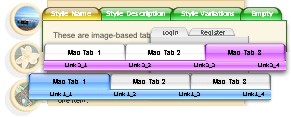
A: See in Deluxe Tabs there are two modes:
1. var tabMode=0;
You can create only one level of tabs and assign Object Id's of the
DIV's to show when you click on the tab.
["XP Tab 1","content1", "", "", "", "", "", "", "", ],
["XP Tab 2","content2", "", "", "", "", "", "", "", ],
["XP Tab 3","content3", "", "", "", "", "", "", "", ],
["XP Tab 4","content4", "", "", "", "", "", "", "", ],
2. var tabMode=1;
You can assign only links in this mode.
You should create top level items with subitems.
["XP Tab 1","", "", "", "", "", "", "", "", ],
["|Link 1_1","http://deluxe-tabs.com", "", "", "", "", "0", "", "", ],
["|Link 1_2","testlink.htm", "", "", "", "", "0", "", "", ],
["|Link 1_3","testlink.htm", "", "", "", "", "0", "", "", ],
["|Link 1_4","testlink.htm", "", "", "", "", "0", "", "", ],
["|Link 1_5","testlink.htm", "", "", "", "", "0", "", "", ],
["XP Tab 2","", "", "", "", "", "", "", "", ],
["|Link 2_1","testlink.htm", "", "", "", "", "0", "", "", ],
["|Link 2_2","testlink.htm", "", "", "", "", "0", "", "", ],
["|Link 2_3","testlink.htm", "", "", "", "", "0", "", "", ],
["|Link 2_4","testlink.htm", "", "", "", "", "0", "", "", ],
["|Link 2_5","testlink.htm", "", "", "", "", "0", "", "", ],
["XP Tab 3","", "", "", "", "", "", "", "", ],
["|Link 3_1","testlink.htm", "", "", "", "", "0", "", "", ],
["|Link 3_2","testlink.htm", "", "", "", "", "0", "", "", ],
["|Link 3_3","testlink.htm", "", "", "", "", "0", "", "", ],
["|Link 3_4","testlink.htm", "", "", "", "", "0", "", "", ],
["|Link 3_5","testlink.htm", "", "", "", "", "0", "", "", ],
You can use Object ID as well as Link in both modes. Use the following prefixes within item's link field:
"object:" - means that there is object id after it;
"link:" - means that there is a link after it.
"javascript:" - means that there is a javascript code after it, for example:javascript:alert(\'Hello!\')
So, you should write for example:
["|Link 1_1","object:Content1_1", "", "", "", "", "0", "", "", ],